
Now available out of beta!
The Physics V2 Beta has now concluded, and we are very happy with the results. You can now use the new Physics system on all of our drone models (including Standard), with our new updated UI!
But that's not all we have for this full release, there's some new exciting stuff brewing, with a chunk of it already available in this update: improved UI and lobby system!
Before that, a quick reminder of what was in the Beta:
Physics V2 update
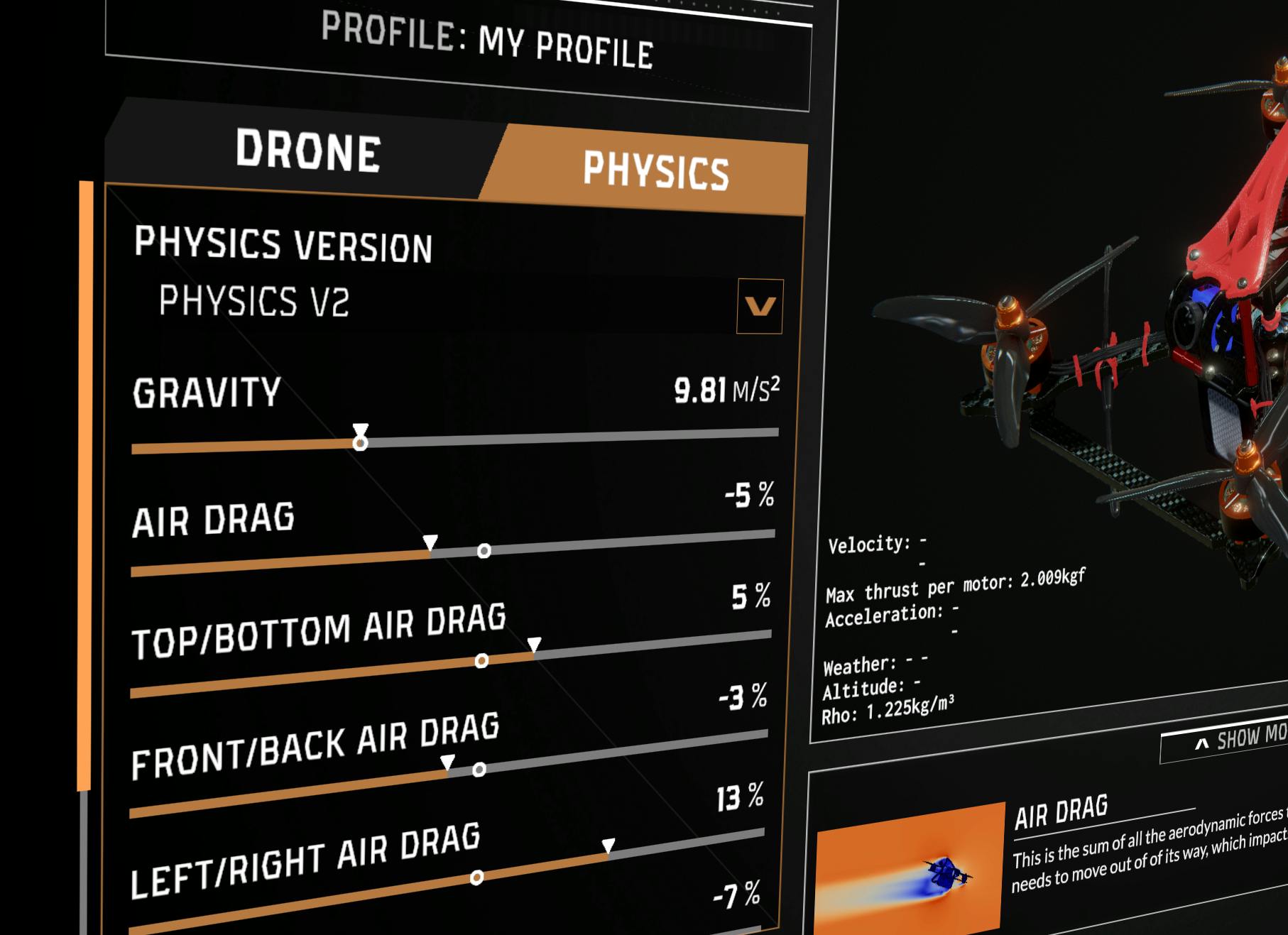
As you may have seen during the Beta, the Physics V2 update has improved on the previous Physics model that we were using up to now.
Improved Drone Profile Menu
This improved menu allows you to set up your drone and physics exactly how you want them! To allow you to tweak them to perfection, you can also fly directly from this menu, so no need to open or close the menu to see what every setting does and feels like.
As well, we have included helpful text and video tooltips that explain what every setting does, with extensive explanations if you want them. This will greatly help if you're new, or not sure exactly what "Motor Attack" even is.
You can open this menu directly at any time using the new keyboard bind.
New options and sliders
We've included more options for you to tweak your flight experience. To enable Physics V2 on your drone, please select "Physics V2" in the Physics Version toggle. This will also let you use the legacy system if you want that.
Want to fly on Mars to see what it feels like? Go ahead with the new Gravity slider.
In the Session settings, you can tweak Altitude, Temperature, and Humidity, to tailor your flight conditions to what you can expect in the real world. This is useful if you are training for a big outdoor competition, to really get the details right!
Useful UX changes for the Track Editor
Unrelated to the Physics Update, we released some changes to the track editor, including an improved checkpoint menu to make it more understandable, and the ability to rename track elements to better keep track of them!
New stuff in the full release
Now that we have closed the Beta, we are releasing some additional features and improvements!
UI Changes
As you may have seen, we now have a new redesigned Main Menu! While it has the same functionality as the old, we expect to make more changes to it very soon. There's also now all the social links for EreaDrone accounts.
We also added a new stylish Game Mode Selection Menu! Choose between Race, Freestyle and Challenge with animated flair. Hover your cursor over the mode you want to select it. The whole sim has also gotten some new polish, with new animations and transitions all over the UI.
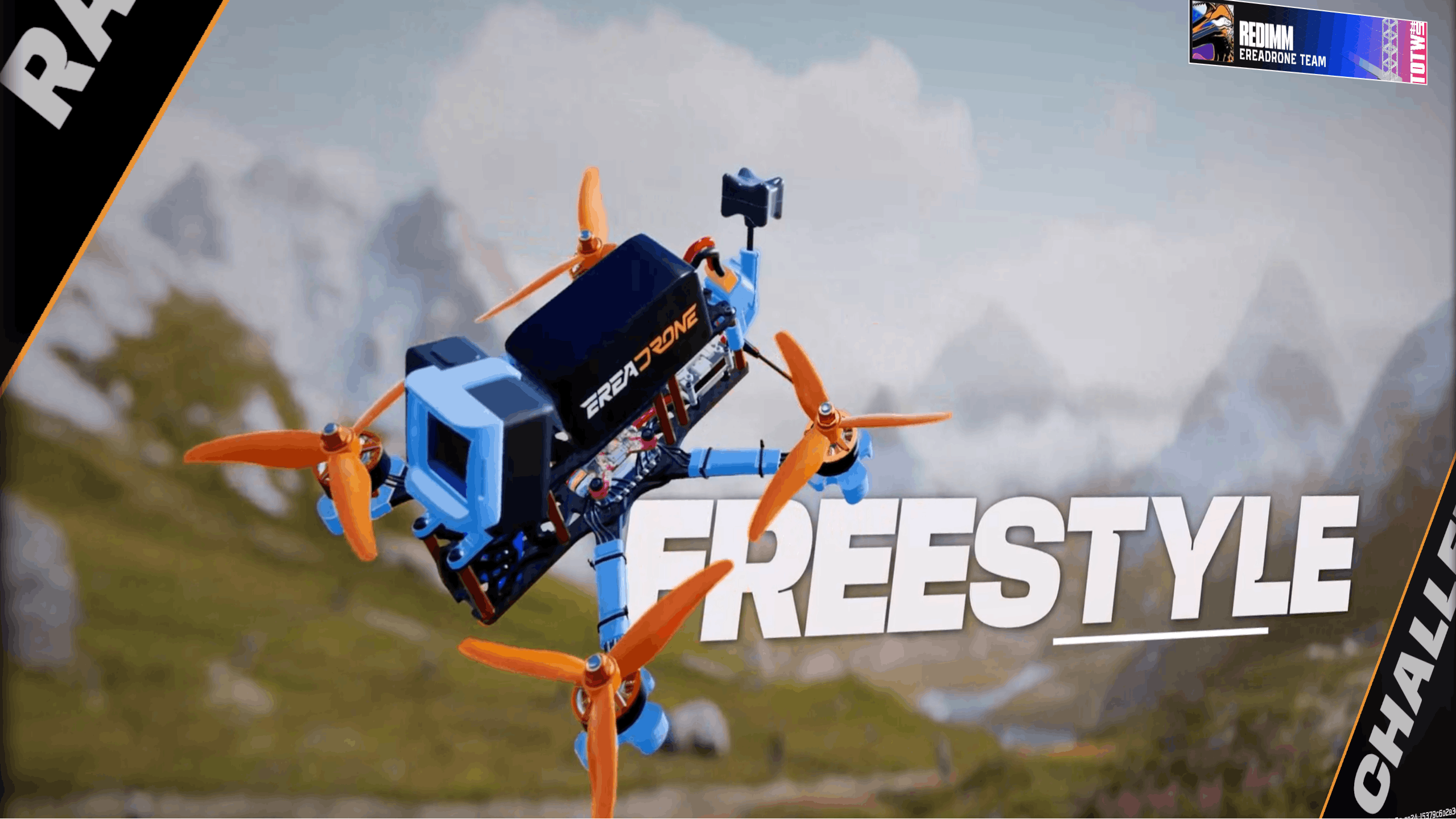
There's a new Content Creator Mode option, that for now only removes the version number in the corner. This is a WIP feature, and we will add more to it soon like replacing licensed music with royalty free music and more.
This is the start of a wider UI update, that will be our next focus. More on this later.
Better, Faster Lobby system
The Lobby system has been reworked, for both Single and Multiplayer!
When changing Weather, Time of Day, or Altitude/Temperature/Humidity, the Sim no longer reloads the map in full, so loading is now significantly faster.
You can also now open the session settings at any time using the new rebindable shortcut.
We will also rework the Lobby and Session settings menus, in the upcoming update, so stay tuned!
Road to 1.0
This Physics V2 Update is the first step on our Road to 1.0! EreaDrone will receive a host a new updates that overhaul major systems to make it the best sim it can be, as well as adding new exciting features.
Roadmap for what's next
We want to introduce our Roadmap, including the changes we want to make to the sim.
For now, in rough chronological order:
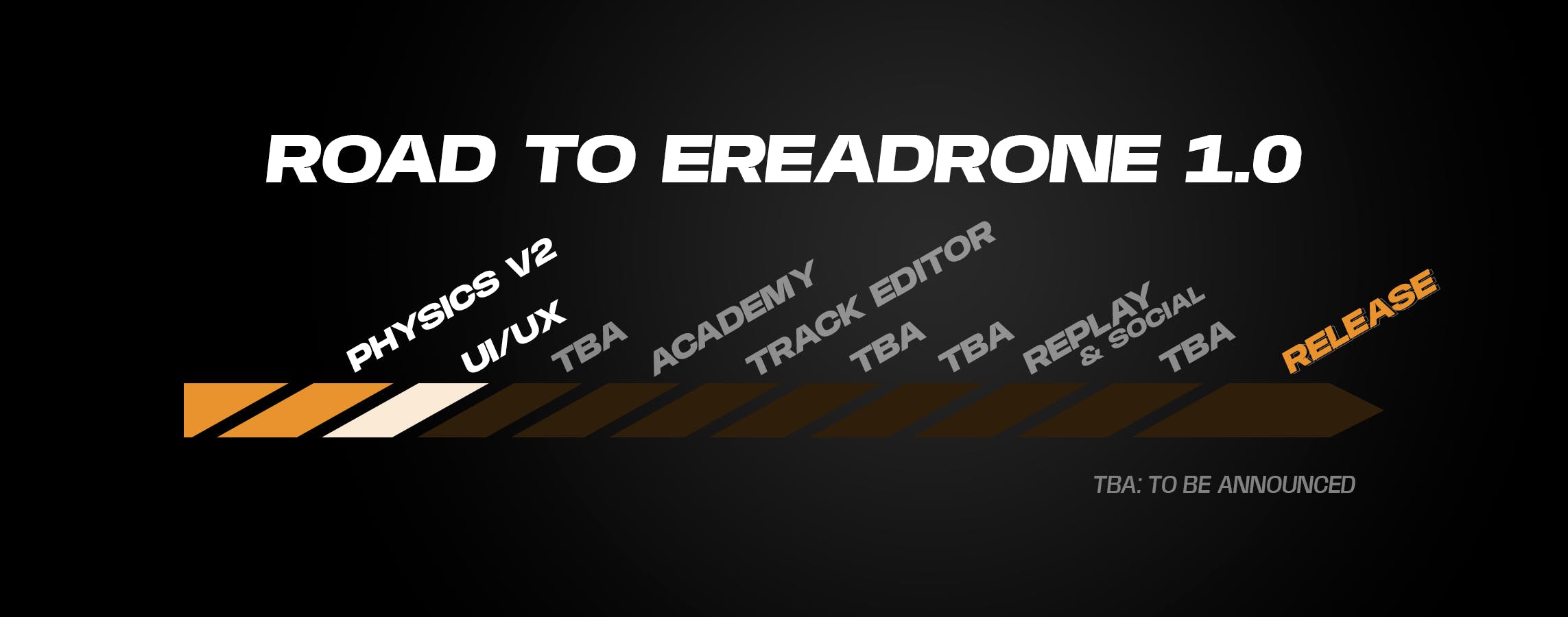
We will announce what's behind those mysterious "TBA" as we go along this roadmap. Of course, we remain commited to the FAI seasons, Challengers events and Fly with the Devs events during these updates.
UI Update
The next update will be the UI update! While we already included some UI changes in this release, we have big plans to change how the interface works in the sim, making it look better, and of course be better to use. We hope this will be a solid base to make further changes.
You can learn more about what's next for EreaDrone during our next Fly with the Devs #2 session this Saturday, 17th January at 1PM UTC in the EreaDrone Discord server. Come fly with us, participate in a track making workshop, and ask us any question you want!
We hope you are exicited for this new update, as well as what's next for EreaDrone in 2026! Happy New Year from the EreaStudio team!
Bug fixes
Of course, we also fixed some bugs!
- Fixed replay related issues: replays playing too fast and incorrectly displaying time
- Fixed menu scrolling up while switching tabs in Options
- Fixed artifacts in the 'button pressed' animation
- Fixed some buttons not appearing or causing exceptions
- Fixed avatars sometimes being mixed up in scoreboards
- Fixed Drone selection screen not showing up when switching from spectator to pilot
- Fixed input binding not being able to be cancelled by pressing Escape key
- Fixed PID related issues
- Fixed other drones having max volume in certain conditions
- Fixed instability in Challenge and Tutorial modes
- Fixed localization typos
- Fixed various minor bugs
We also made various performance and optimization bugs, and updated internal components.