Last time for the Summer Update, we brought you ghosts, the EreaDrone companion, and much more. Now, let's take a look at the wholly new Physics V3 \, Replay mode, and new Lens options!
🍊 Physics V3 \
It is now available for all drone models.
Last December, we made a big step forward with our Physics V2, but this time its even bigger! Enjoy the upgraded Physics that make Bando and Racing feel so much better. Compare for yourself: it is apples to oranges.
We are now implementing Motor Spool time instead of Motor Attack Delay, as well as many other changes that should help with latency. You now get better control over your drone in turns and maneuvres with our revisisted Air Drag and Thrust systems, which feels so much better to pilot.
There's a new Input Latency setting (default: Low Latency) that lets you lower the latency of the game (but FPS might be more unstable).
Collisions have been vastly improved, and feel much more like they do in real-life (if you had an indestructible drone of course...)
Overall, the drones should feel more responsive, and corrections to your trajectories should feel better.
How to enable Physics V3
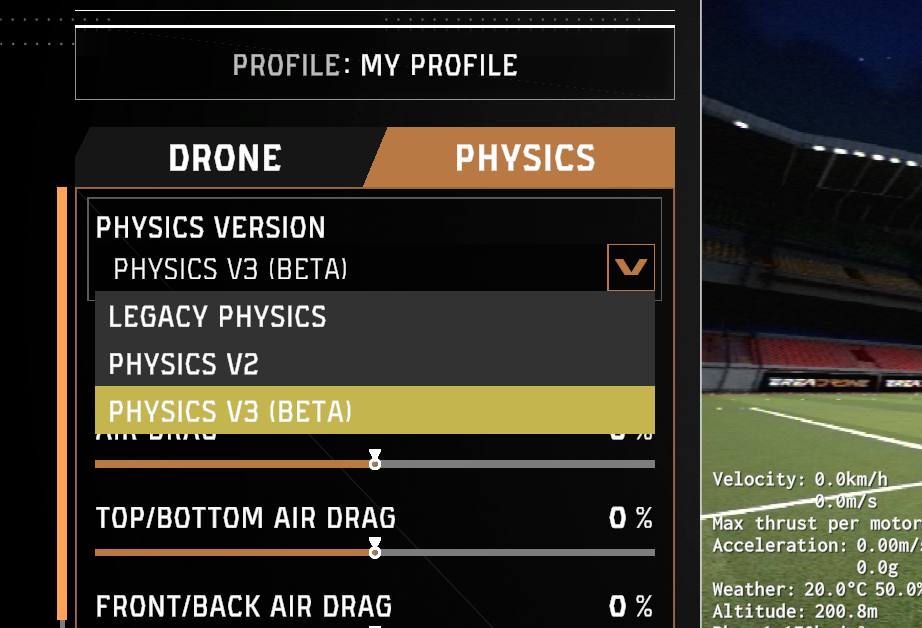
Its very easy, simply select "Physics V3 (Beta)" in the Drone Settings. This will apply the new Physics to your drone. You will need to do so for every drone you want to use.
For the duration of the beta, V2 is still the default, so you will need to turn it on manually.
🥽 Beta test the Physics V3 🔧
You don't have to sign up to anything, Physics V3 is already in your game.
There is a lot of fine-tuning work left to be done, and that's where you come in: Please fly around using the new Physics, and tell us what you think using the Feedback button in the Drone Settings menu.
This will help us a ton! You might even win a few cosmetics by answering :)
📽️ Replay and Export 🔄️
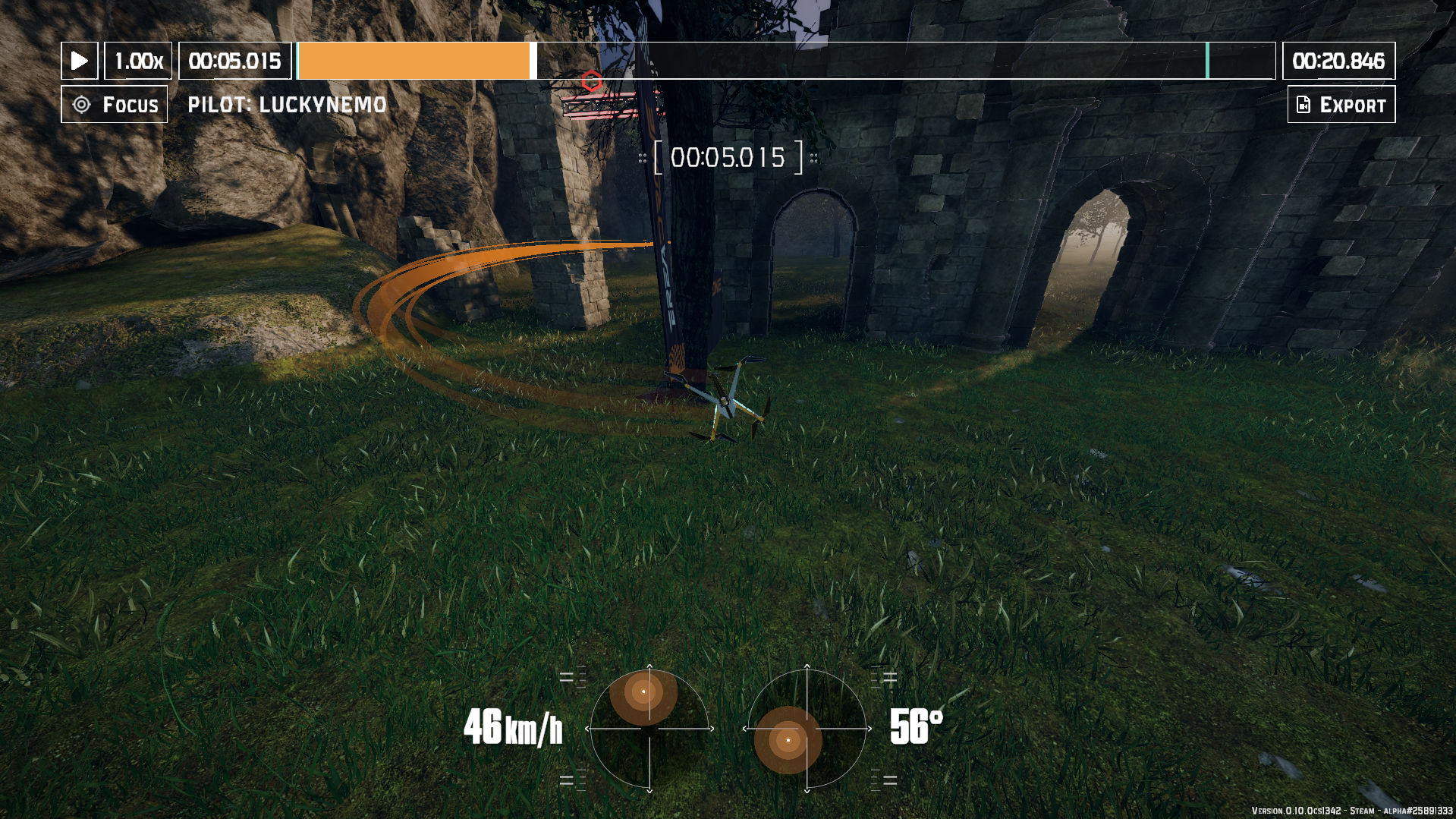
We upgraded our Replay mode! Now, every lap you do gets recorded and you can watch it back in the Replay menu! You can analyze your moves in FPV, 3rd Person, Focus or Environment view!
Use the timeline tools to see how you flew, slowed down and from any angle. And when you're done, you can export the video to use it anywhere!
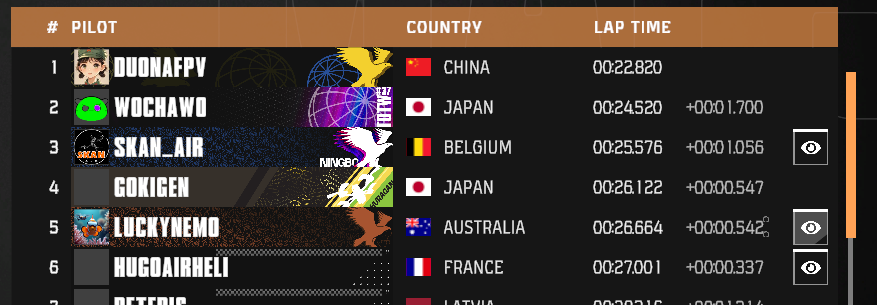
Not only your laps: you can download the replays of anyone on the EreaDrone leaderboards, and see how they flew.
Note: Older replays might not support all the features, so things like checkpoints or motor power might not have been recorded. All replays going forward support all the features.
⏺️ Freestyle Mode Recording 🛩️
You can also replay your Freestyle sessions, but you'll have to record them first!
When flying around doing tricks, simply start recording by pressing the shortcut (F9 by default) or from the Escape Menu. Your recording will stop when you respawn.
Then, you can review and export your Freestyle sessions from the Replay menu.
🎦 Export your flights how you want 📲
Are you proud of one of your flights? Are you a content creator and need good footage?
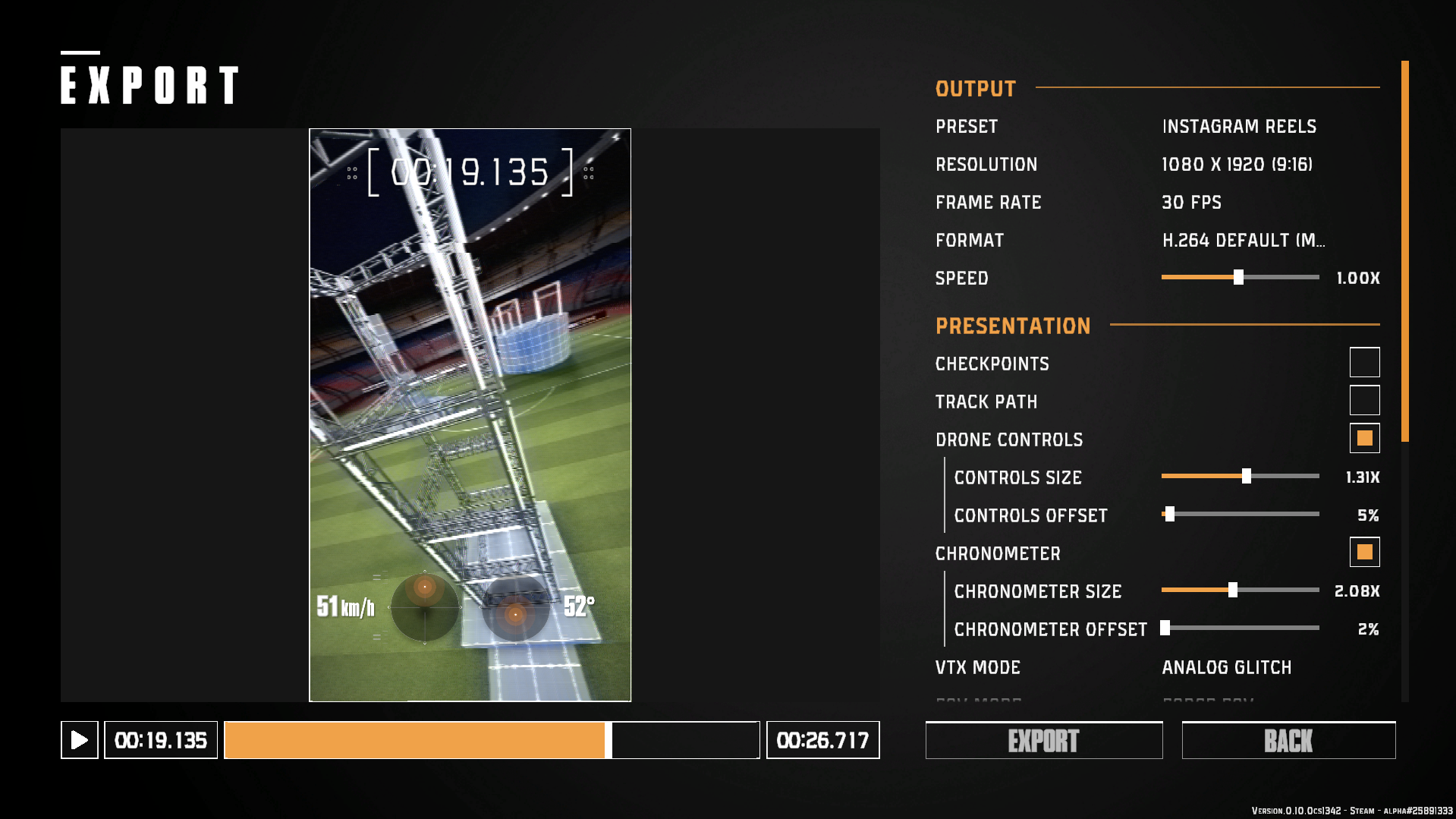
Using the Export tool, you can export your flight into a video with a wide selection of options!
With our without OSD elements, with or without sound, you are in control. There's a selection of presets for social media posts, such as Youtube video and Shorts, Instagram Feed and Reels, TikTok, Facebook, and X (Twitter). Feel free to tag @ereadrone in your posts!
ℹ️ Tips and Shortcuts ⏫
Of course, standard shortcuts for playback work:
Spacebar to Play/Pause
Go Back and Forwards a frame using < > or Q E, and walk along frames if you hold it pressed
Time will go into slowmotion while you press S, this is useful to visualize a move!
You can scroll in the speed selector to change it by 0.05x, up to 5x
You can middle-click the drone in Environment view to focus it
🎨UI Changes: Loading, Stick Trails!
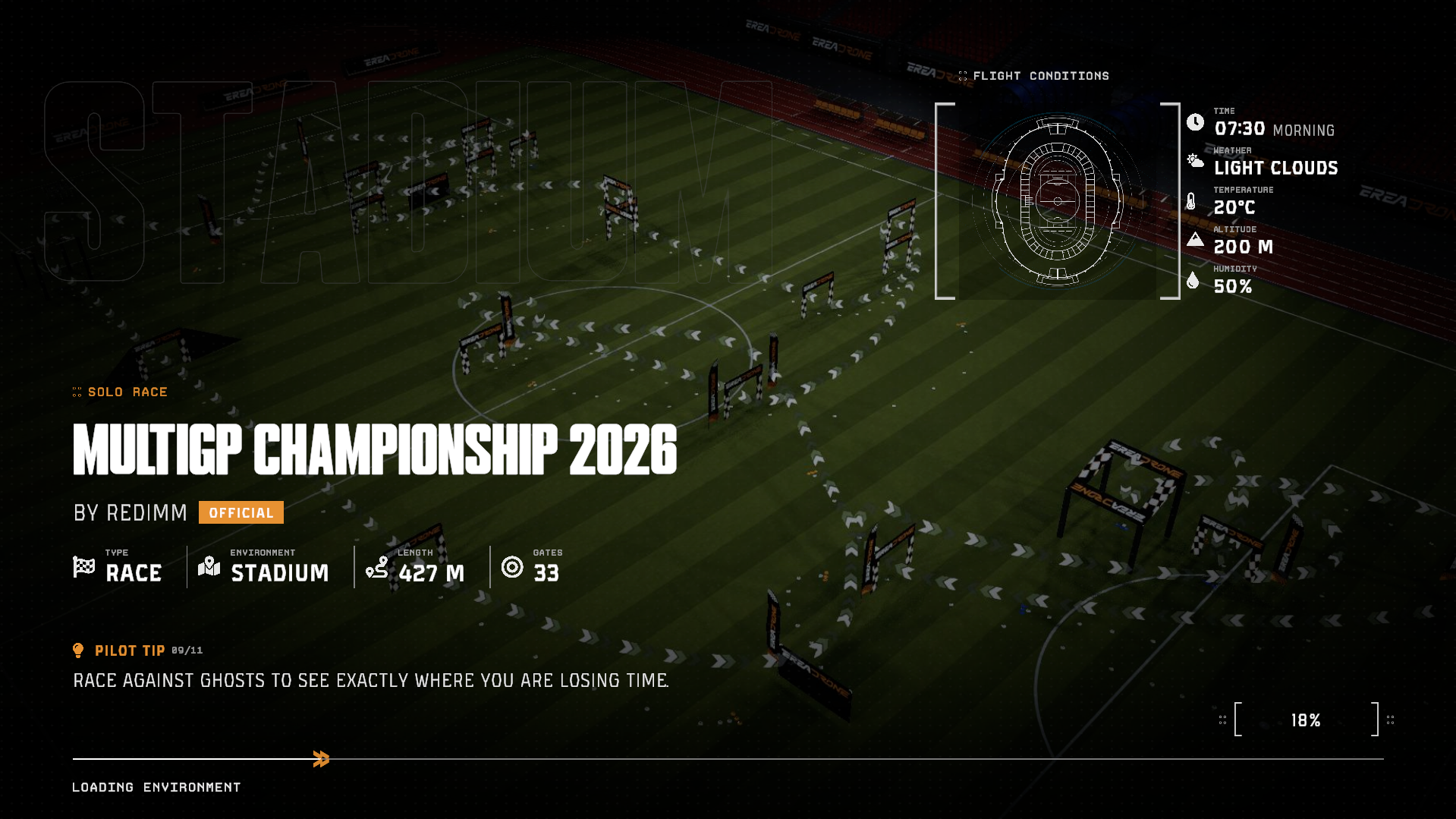
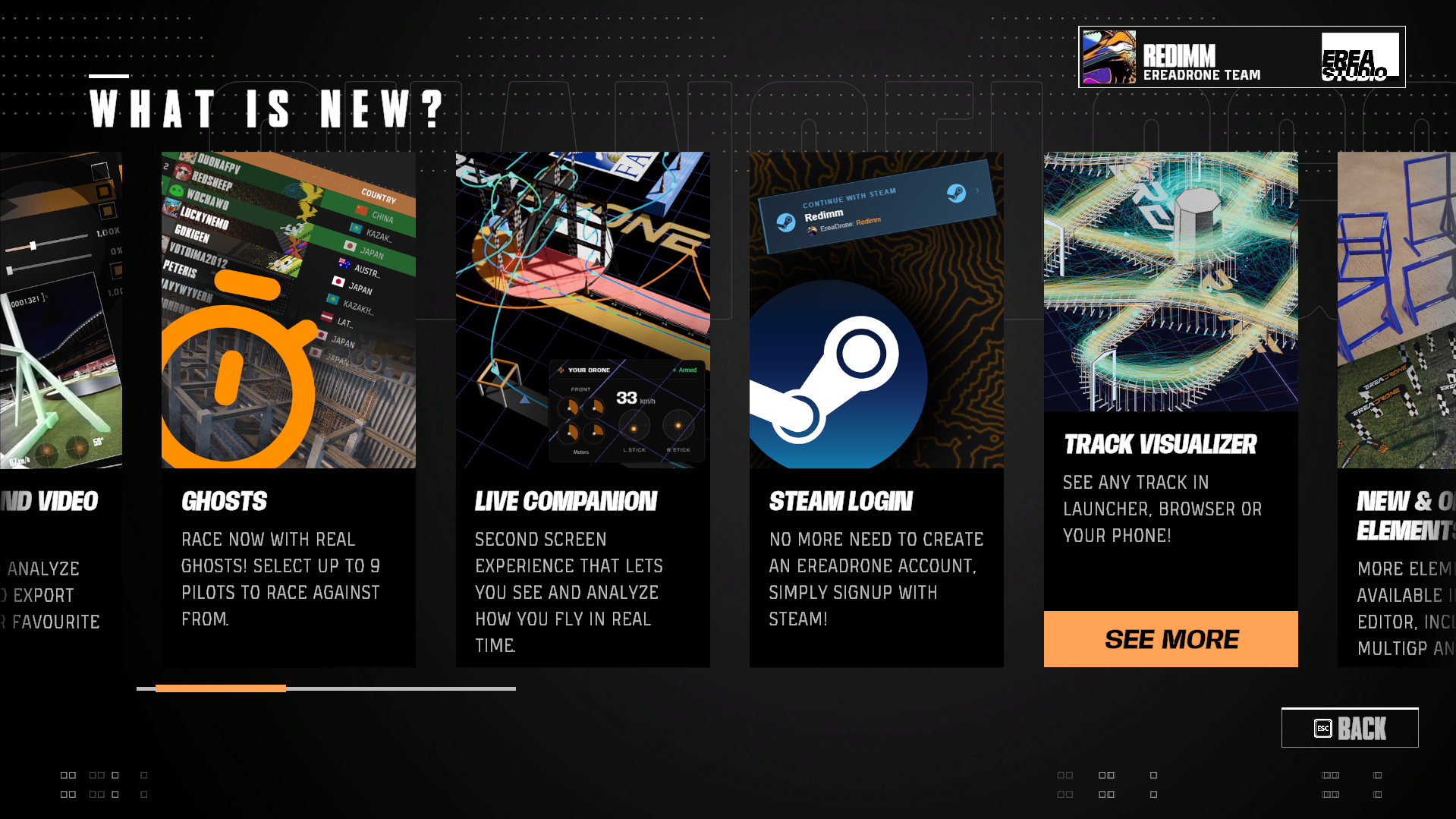
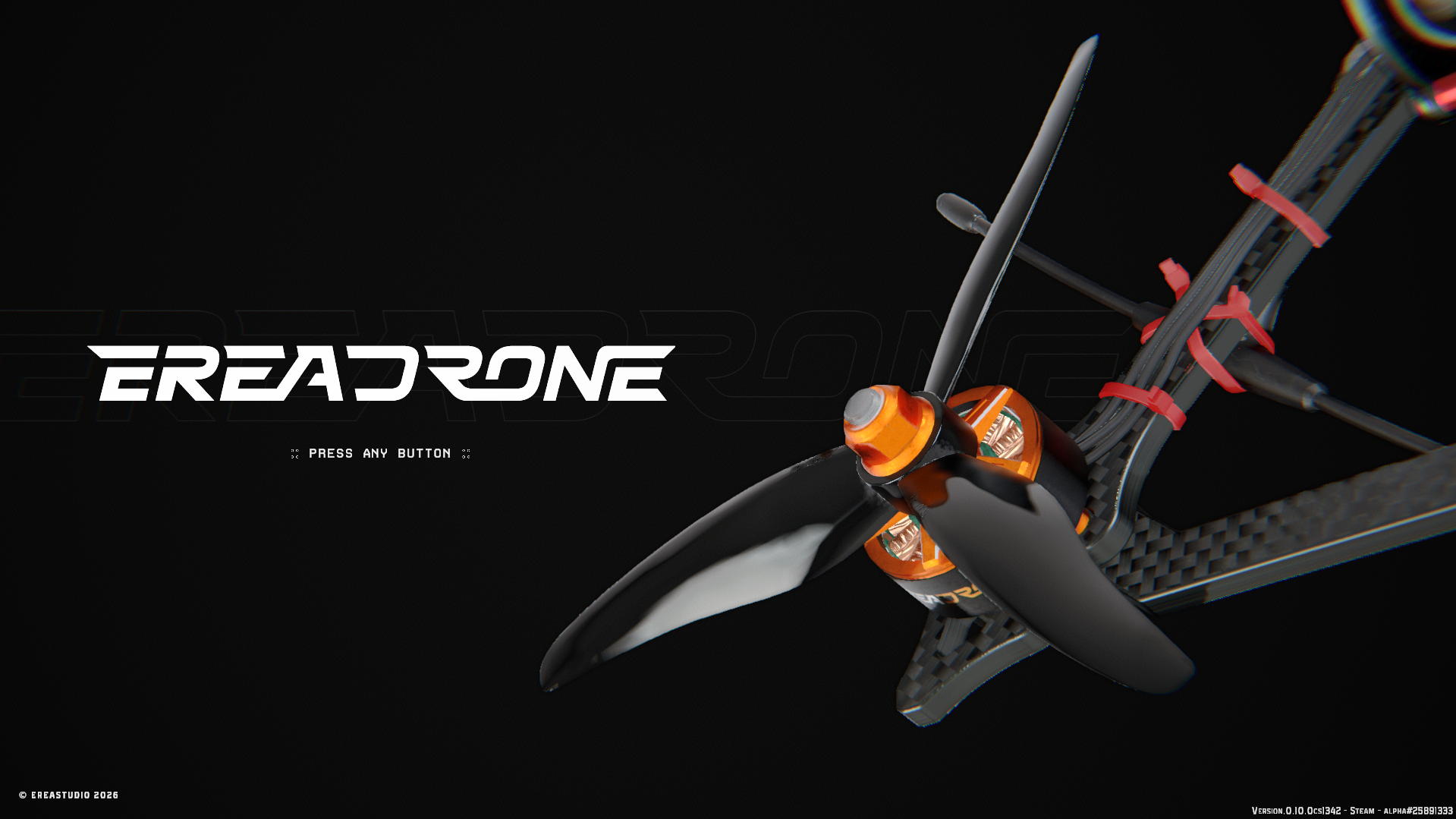
First, we changed our "Press any button" screen, which now plays a nice animation, alongside some music composed by our main dev, Elouan Jorrand (no AI, of course).
There's also the new Loading Screen, featuring the Map cover and info about the map you are entering, and much more. We added a "What's New" menu (bottom right of Main Menu) where you can see all the recent changes made to the game!
Overall, the menus are now also snappier, and Drones look better in menus.
You can see for yourself in-game, or in the image carrousel here.
🕹️ Stick Trails 🐌
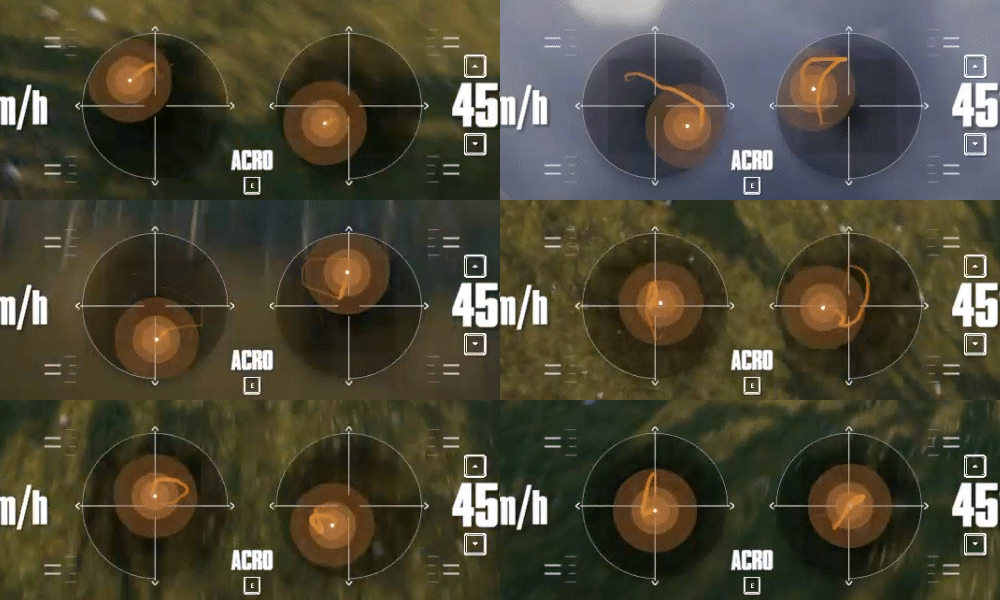
Stick Trails now show up on your controls! With this, you'll be able to visualize your stick movements much better by following the trail that fades with time.
You can turn them off in Options if you don't want them.
🔭 Lens options 🏞️
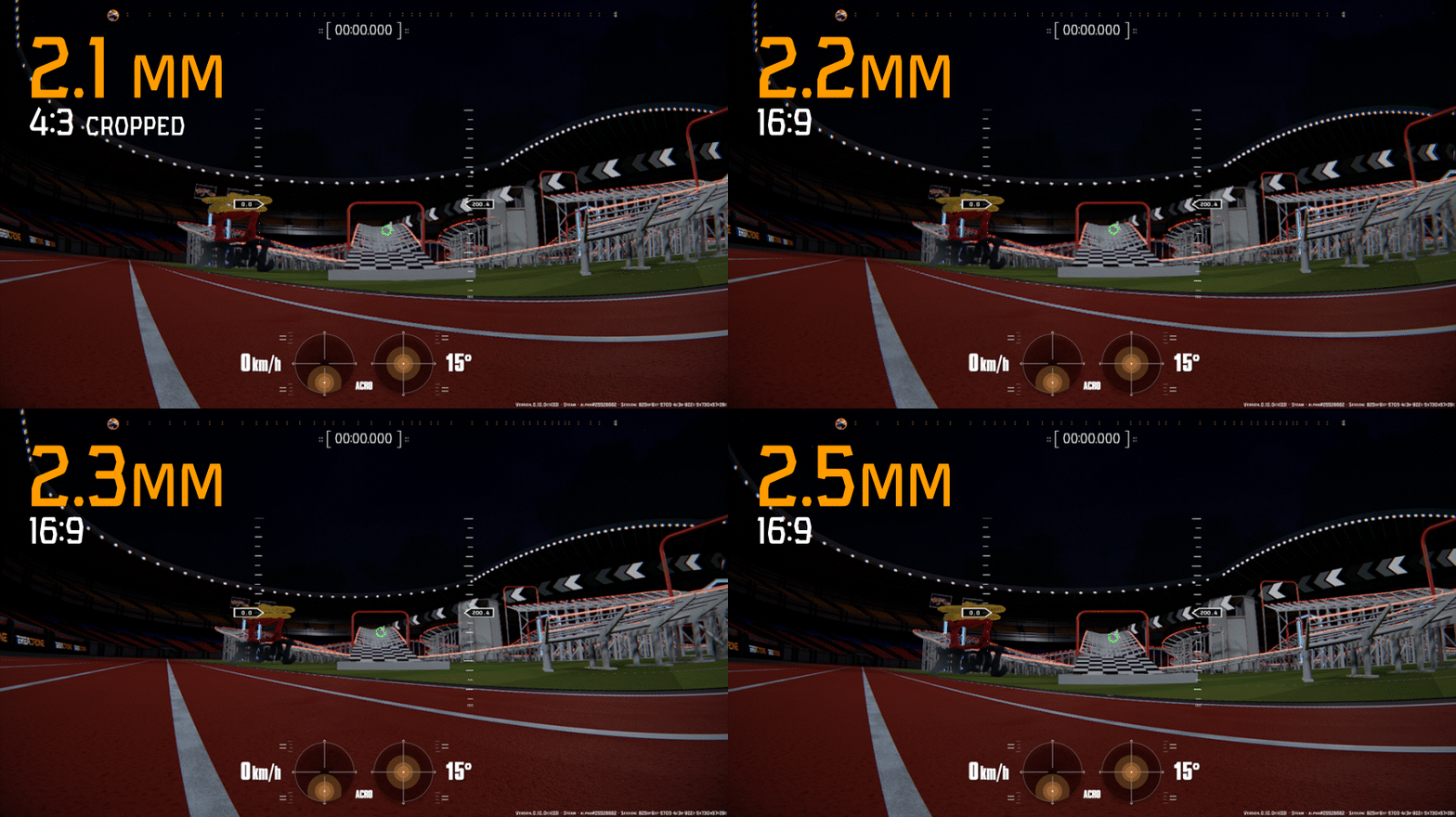
We've added new lens options, featuring distortion profiles from popular cameras!
You can find the following lenses in General Settings:
2.1mm, 4:3 cropped to 16:9 ratio
2.2mm, 16:9 native
2.3mm, 16:9 native (default)
2.5mm, 16:9 native
The 2.5mm and 2.2mm lenses are very similar, with more spherical distortion on the 2.5mm lens.
Of course, you can still use a Custom lens, with a choice of FOV and amount of Fish-Eye effect.
You can choose between Performance and Quality mode for the lens. This option upscales the image so the distorted image is less pixelated, at the cost of some performance.
🔩 Bug fixes and improvements 🛠️
So much changes! Most of this was already available in-game before the latest build. Of course, you can still report bugs and things you want changed in our Discord server!
Gameplay changes
In A-to-B tracks, VTX inteference now uses checkpoints position as the VRX origin instead of Ryfty to allow for very long tracks
Disabled Drone Settings and Rate Profiles shortcuts in Replay Mode
Line-of-Sight camera is now placed behind the selected spawn by default
The OSD toggles are now hidden in the Escape Menu if "Display HUD" is disabled in the options
Display Performance (FPS, network, etc.) are now off by default
Controller Setup wizard is now asked first with a popup instead of lauching by itself on first launch
Improved Drone sounds:
Better spacialization in FPV mode (you hear motors on the sides)
Removed chorus effect and replaced with better modulations and randomizations per motor
Add propwash sound effect
Wind speed sound effect disabled in LOS. Now only in FPV and 3rd Person views
Sound spacialization in Spectator is now coming from the camera
Bug Fixes and Optimizations
Fixed issue where drone propellers were doubled or trippled in certain cases
Fixed issues where rows that could be hidden (HUD, etc.) were broken in some cases and became invisible
Fixed issue where the Escape menu buttons showed the wrong enabled state for a frame
Fixed Camera not being well initialized in Setup Wizard
Fixed Changelog menu details title wrapping causing overlapping
Menus should now be smoother, and load quicker
Fixed propellers being rendered in front of everything
Fixed Chronometer text jittering up and down in Replay and Race UI
All sliders should feel smoother, as they only apply when releasing them instead of every frame
Fixed Replay lens sometimes being wrong, especially in vertical
Fixed Escape Menu Spawn Point button issue where it failed pluralizing the text
Fixed Replay Environment View mode losing position/rotation and FOV on preview export
Fixed checkpoints considering all gates except the first as start gates, causing lap finish every checkpoint, and very low leaderboard times
Fixed Motor Power OSD being wrong when using Direct Rotation mode
Fixed Spectator Mode always showing one checkpoint in advance when spectating a pilot
See you in the sky!
Alexander from the EreaDrone Team
Posted by Redimm, October 14, 2026 2:08 PM